Stretches after gaming for hands, wrists and neck
Long sessions with a controller, mouse or keyboard keep your fingers curled, your head forward and your eyes fixed. This five-minute break covers all three, and you can do it between matches without getting up.
Start with a free 5-minute stretchFree first, no account needed. Then After Gaming (5 min, guided by voice) and every routine with a 7-day free trial: card required, nothing charged before day 8.
Good for
- Between rounds or at the end of a long session
- Hands that feel cramped around a controller
- A stiff neck from looking at a screen
- Streamers, students and anyone gaming late
Why a few slow minutes can help
Gaming demands quick, repeated finger movements and a steady head position. Opening the hand, stretching the wrist in both directions and tucking the chin back are quick ways to change shape.
Looking at something far away for a few seconds also gives your eyes a short rest, which is why the routine ends with a far gaze.
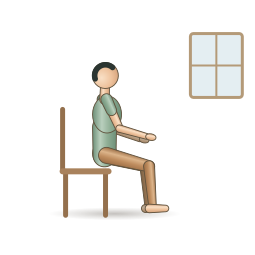
After Gaming
Hands, wrists, neck and eyes after a long session.
- 5 minutes
- 5 movements
- Chair
- Chair, Standing
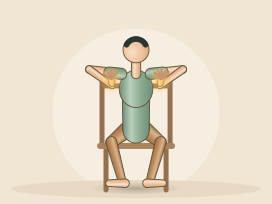
Finger spreads and soft fists
Spread your fingers wide, then slowly curl them into soft fists.
Easier: Rest your forearms on your thighs and make smaller movements.
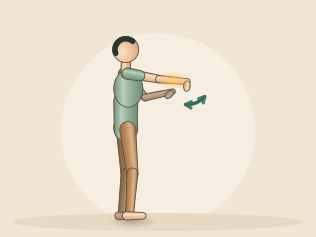
Wrist extensor stretch
Let your fingers point down. Use your right hand to guide the hand gently toward you.
Easier: Leave the other hand off and simply let the wrist bend comfortably.
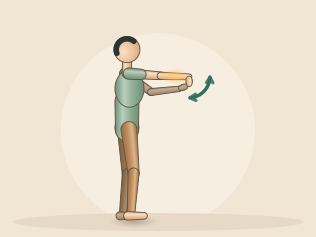
Wrist flexor stretch
Let your fingers point toward the floor. With your right hand, ease them gently back toward you.
Easier: Leave the other hand off and simply let the left wrist bend back a little.
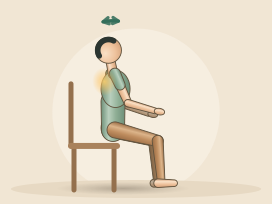
Gentle chin tucks
Glide your chin straight back a little, as if making a soft double chin.
Easier: Make the glide very small, or rest the back of your head against a high chair back.
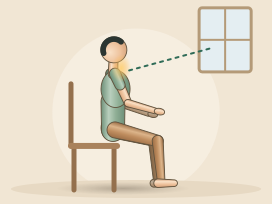
Far gaze eye rest
Let your eyes rest on it softly, without staring. Blink slowly a few times.
Easier: Keep your eyes closed for the whole block and simply rest them.
Tips for a comfortable session
- Set a timer for every hour or every few matches.
- Spread your fingers wide, then relax them, a few times.
- Keep every wrist stretch mild, with the elbow straight and no bouncing.
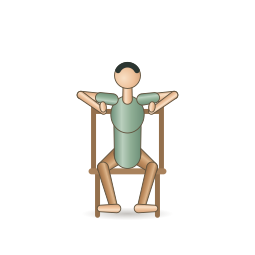
Wrist Micro-Break
Three minutes for hands that type all day.
- 3 minutes
- 4 movements
- Chair
- Chair, Standing
- Finger spreads and soft fists45 s
- Wrist circles45 s
- Prayer stretch30 s
- Wrist extensor stretch30 s each side
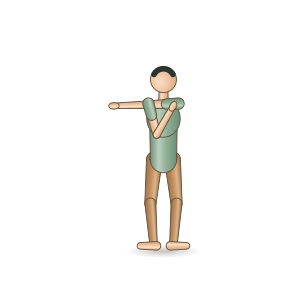
Tech Neck Break
A small break from looking down.
- 5 minutes
- 4 movements
- Chair
- Standing, Chair
- Slow shoulder circles1 min
- Gentle neck tilt45 s each side
- Cross-body shoulder stretch45 s each side
- Standing chest opener1 min
Common questions
How long is the After Gaming routine?
5 minutes and 5 timed movements. Left and right sides get equal time, and a voice guides every change.
Do I need a mat or any equipment?
You need: chair. Setups used: chair, standing. The app can swap floor movements for chair or standing versions.
What does ReliefFlow cost?
Every plan starts with a 7-day free trial. A card is required to start it, and you pay nothing if you cancel before day 8. After that it is $5.99 a month or $49.99 a year, and you can cancel any time from Manage billing.
Is it safe if something already hurts?
ReliefFlow is general wellness guidance, not medical advice. Stop if you feel tingling, numbness or sharp pain in your fingers or wrists, and talk to a health professional about symptoms that keep coming back. Stop if anything hurts, and talk to a health professional about pain that is sharp, radiating, new or does not ease.